
11 free credits after email verification: one AI map · no card
AI Mind Map Maker
Turn a topic, your notes, a PDF, a web page or a YouTube transcript into an editable mind map. Every branch shows the passage it came from, and branches the AI added on its own are marked.
Drag a node, fold a branch, or tap a pin to see the exact quote it came from. The dashed node is AI-added: no quote backs it.
AI drafts the map from your source and shows where each branch came from. Branches without a source are marked, so you can check them.
Legend 01
Every branch shows its source
Most AI mind maps look tidy and cannot be checked. Here each branch the AI writes from your source carries the exact quote it came from, and our server checks that the quote is really in the text before the branch gets its pin.
Mission report, page 3
“The Eagle has landed.”
A branch with a verified quote (pin) and one the AI added (dashed).
Pinned branches
A plum pin means the quote was found in your source. Click the branch and the side panel opens that passage, highlighted, with its page number, paragraph or video timestamp.
AI-added branches
When the model adds an idea the source does not state, or quotes text that is not there, the branch is drawn dashed and labelled AI-added. Keep it, edit it or delete it: you decide.
Check in one click
Source, Outline and Ask sit side by side. Ask the map a question and the answer cites the passages it used, each one clickable.
- AI drafts the map from your source and shows where each branch came from. Branches without a source are marked, so you can check them.
Real maps made with this tool
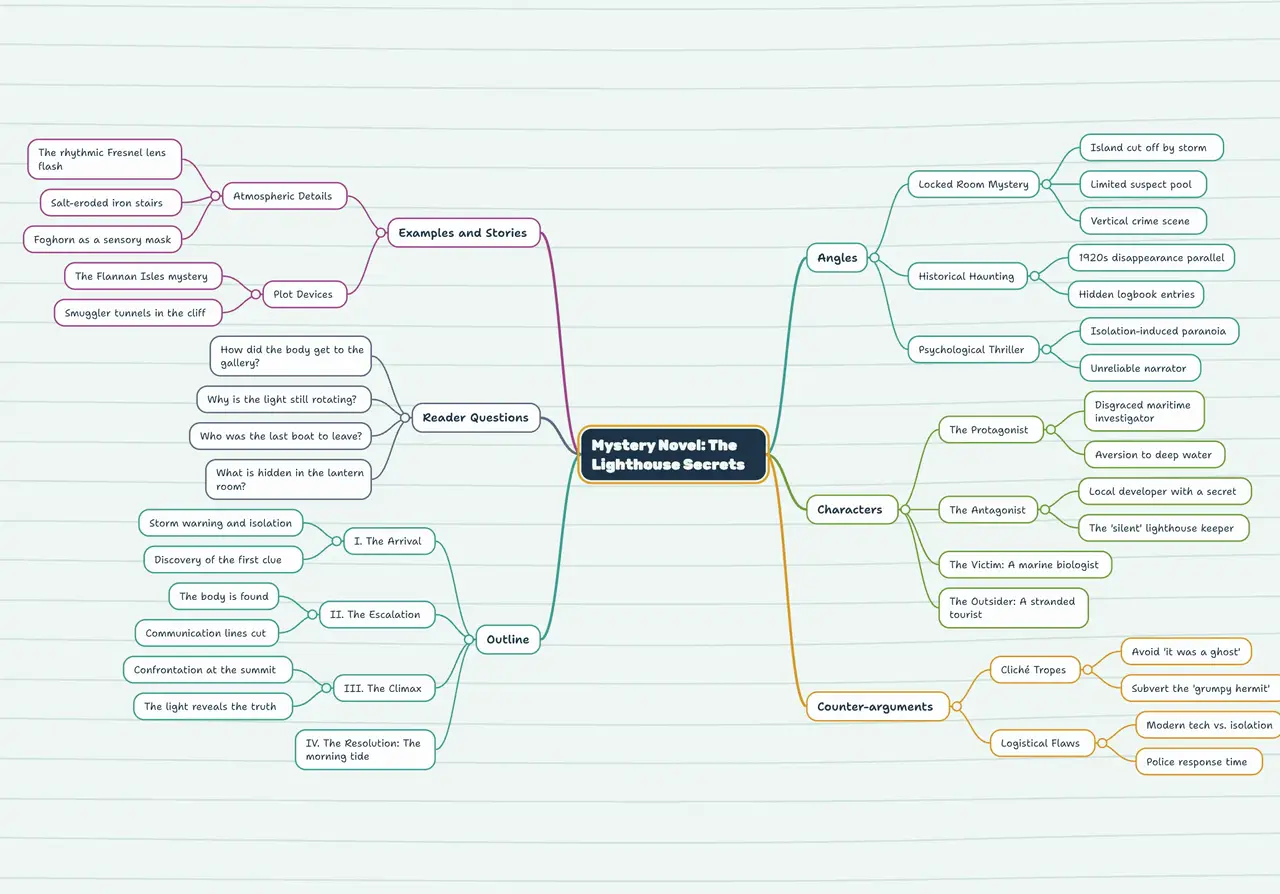
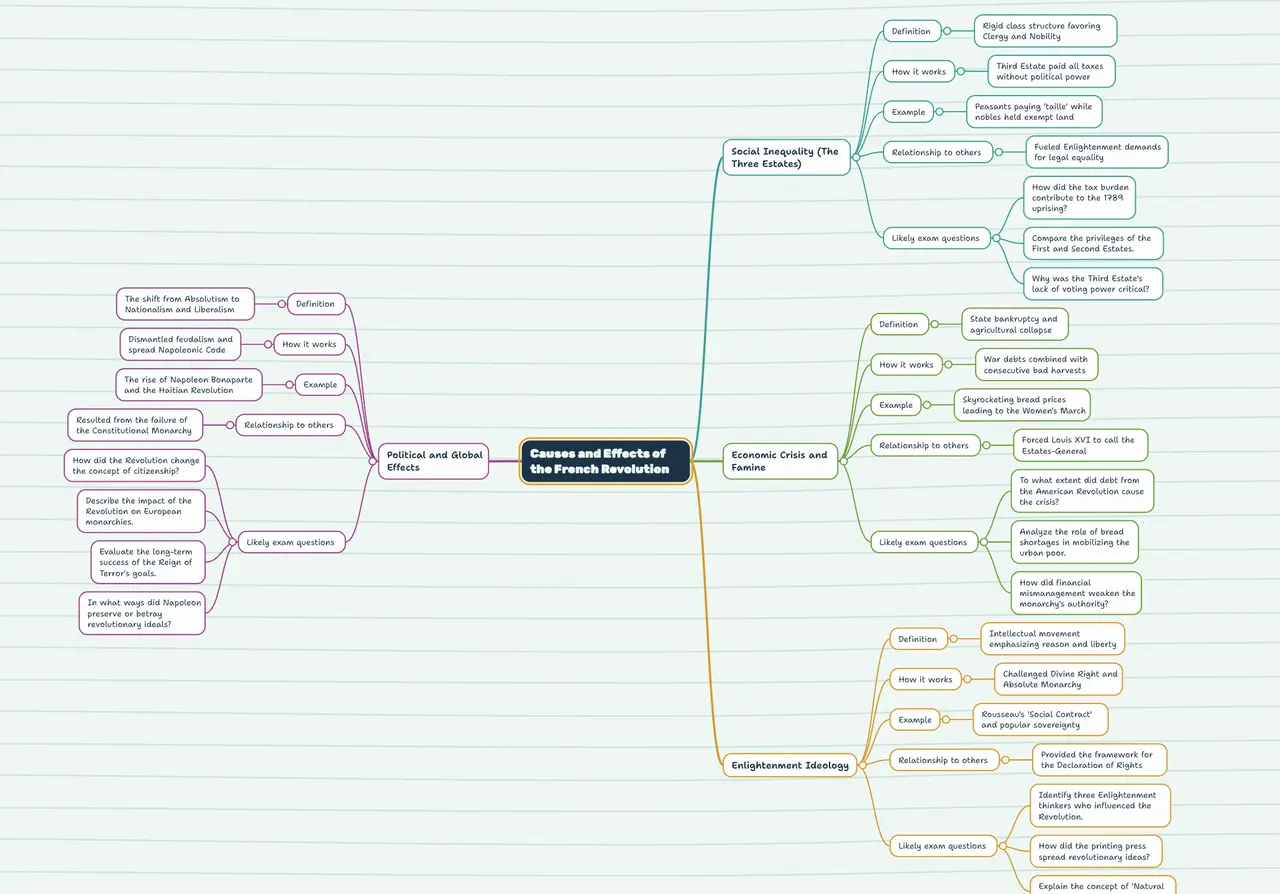
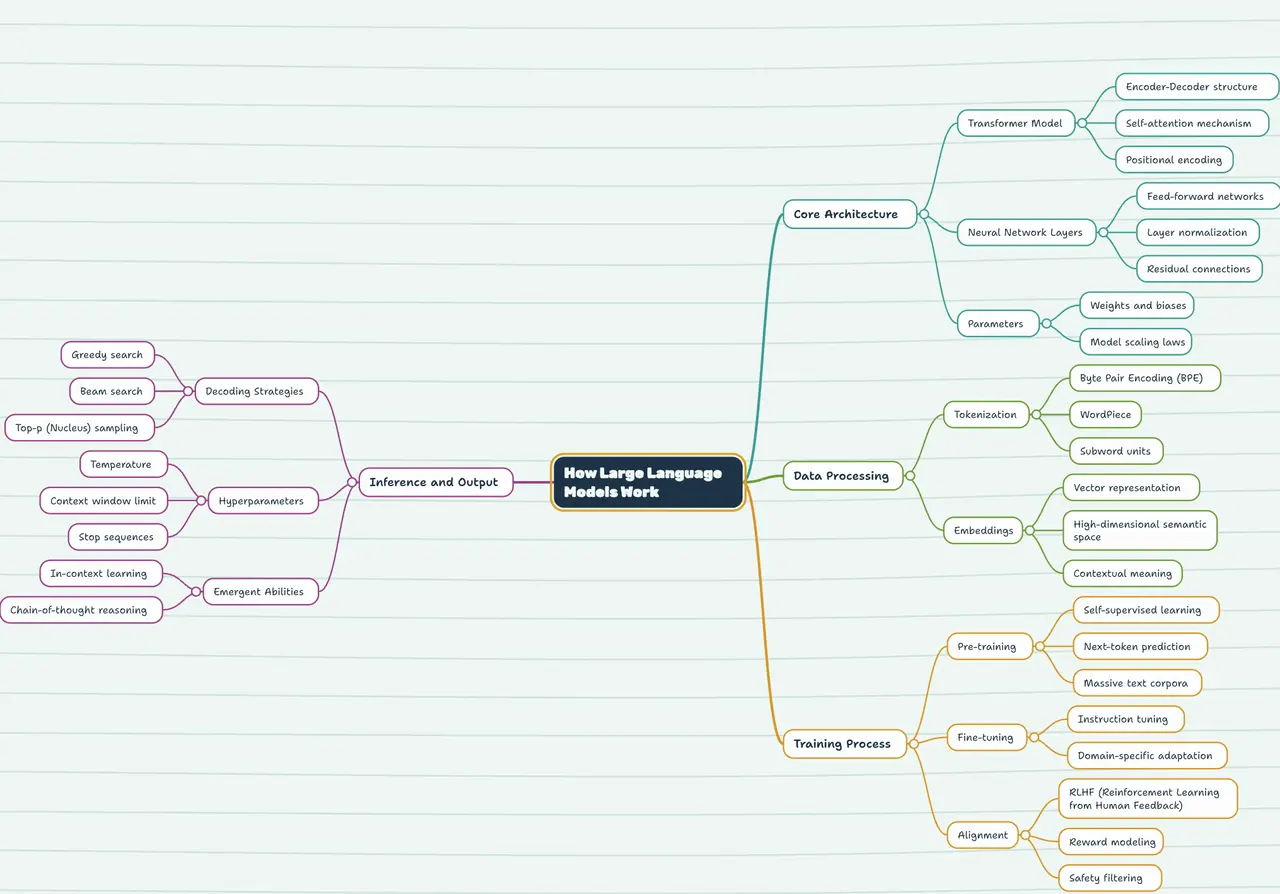
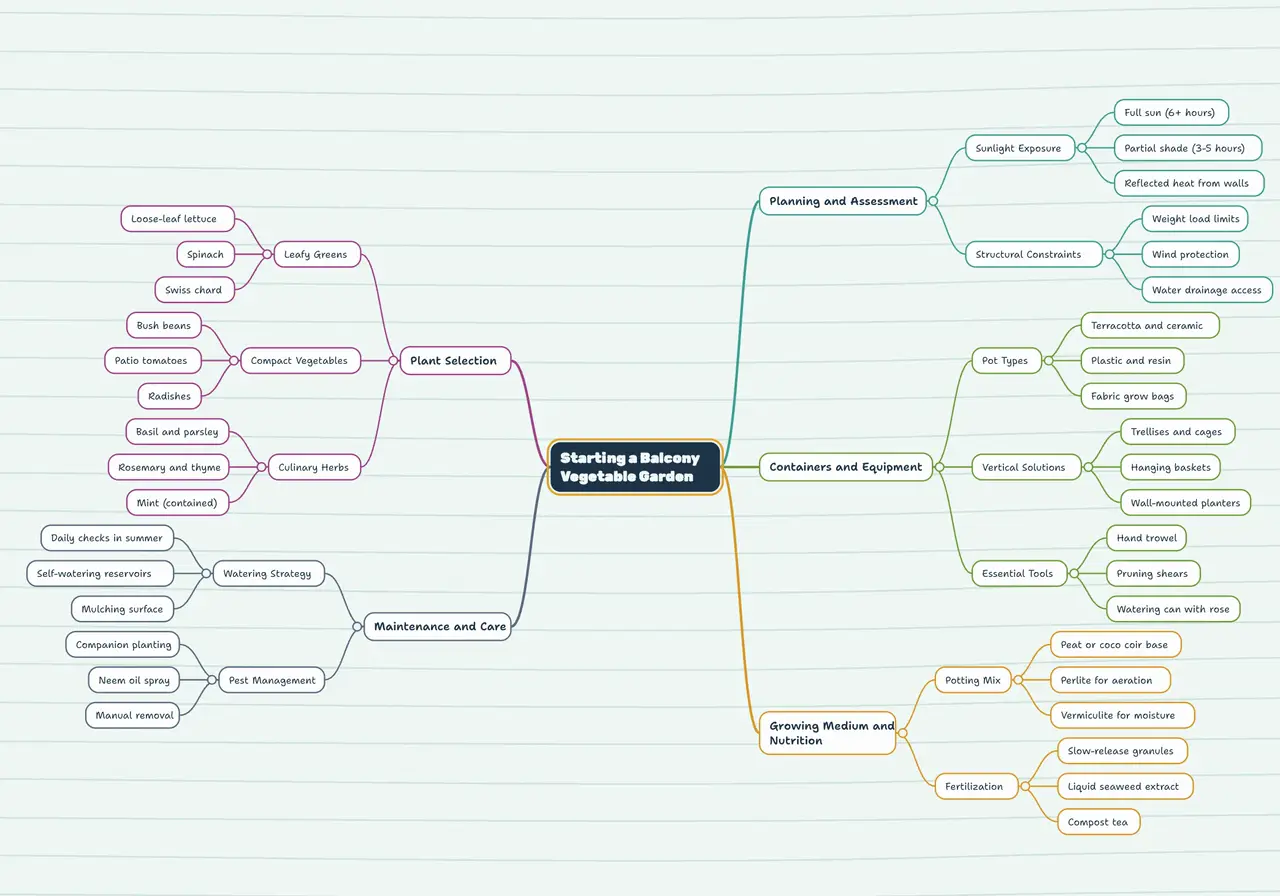
Each one came out of the same 11-credit map job you get, rendered in the free editor with no touch-ups. The water-cycle map was made from pasted notes, so its pinned branches link to the exact quote; the rest started from a one-line topic.
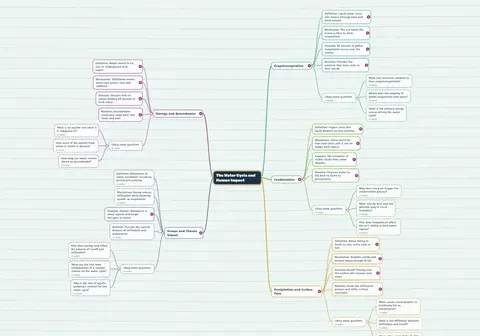
The water cycle and human impactFrom pasted notes, pinned 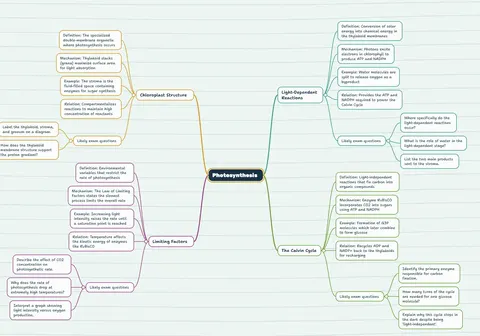
Photosynthesis, as a study mapFrom a one-line topic 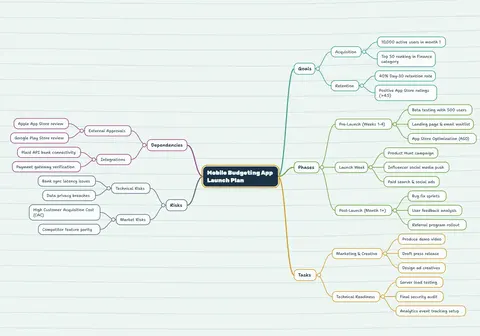
Launch plan for a budgeting appFrom a one-line topic 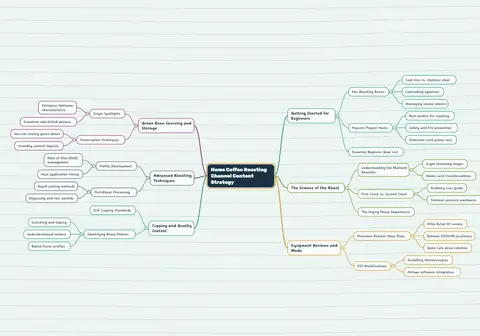
Video ideas for a coffee roasting channelFrom a one-line topic 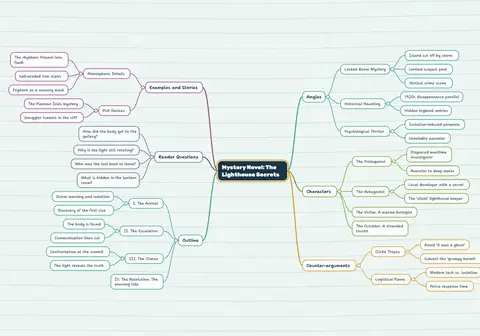
Plot and cast for a lighthouse mysteryFrom a one-line topic 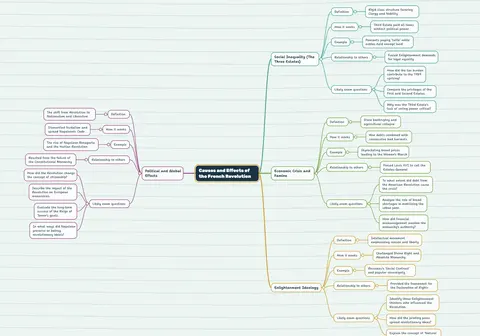
Causes and effects of the French RevolutionFrom a one-line topic 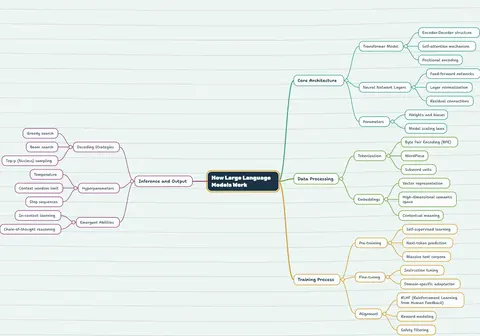
How large language models workFrom a one-line topic 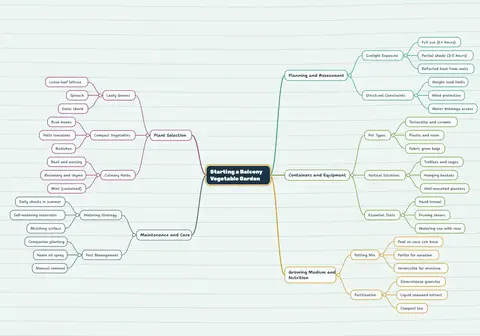
Starting a balcony vegetable gardenFrom a one-line topic
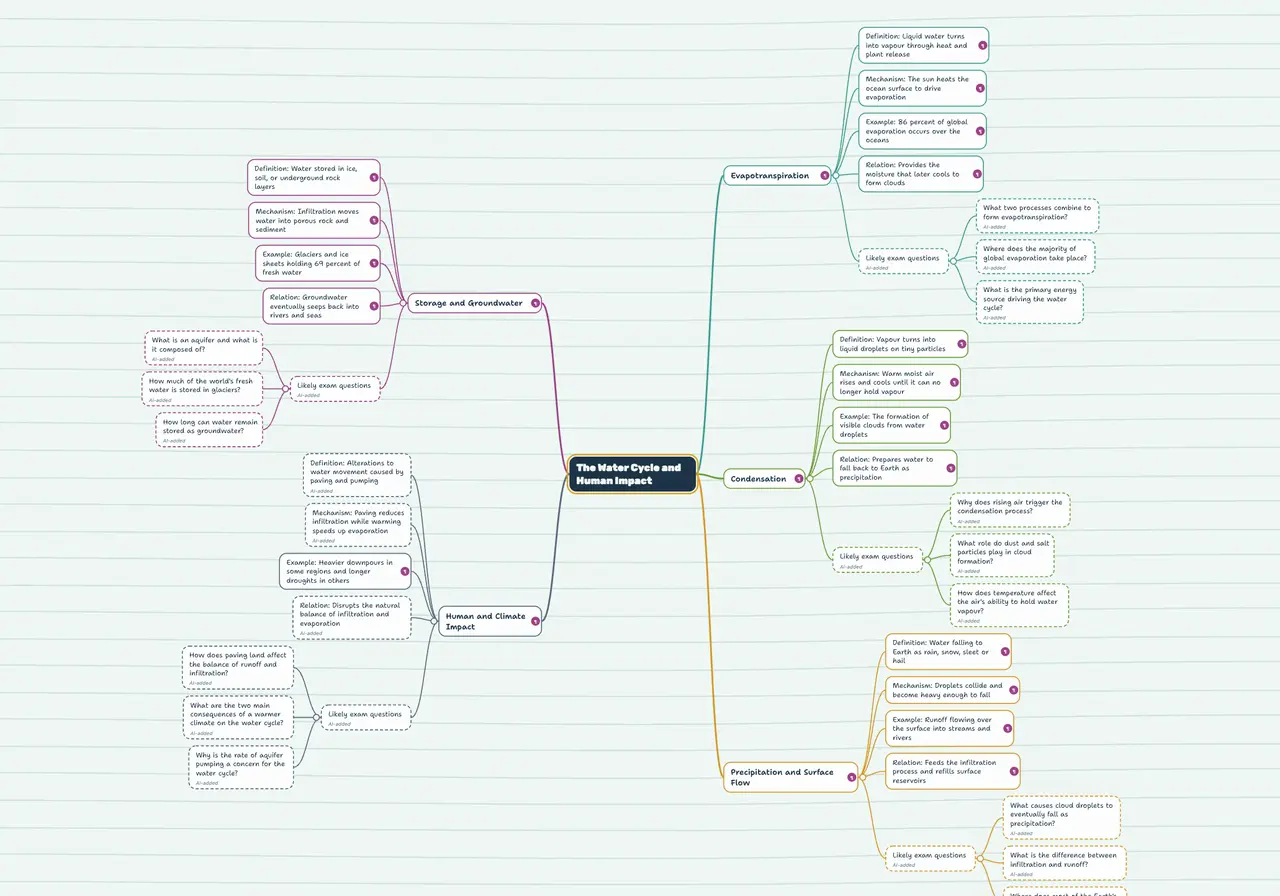
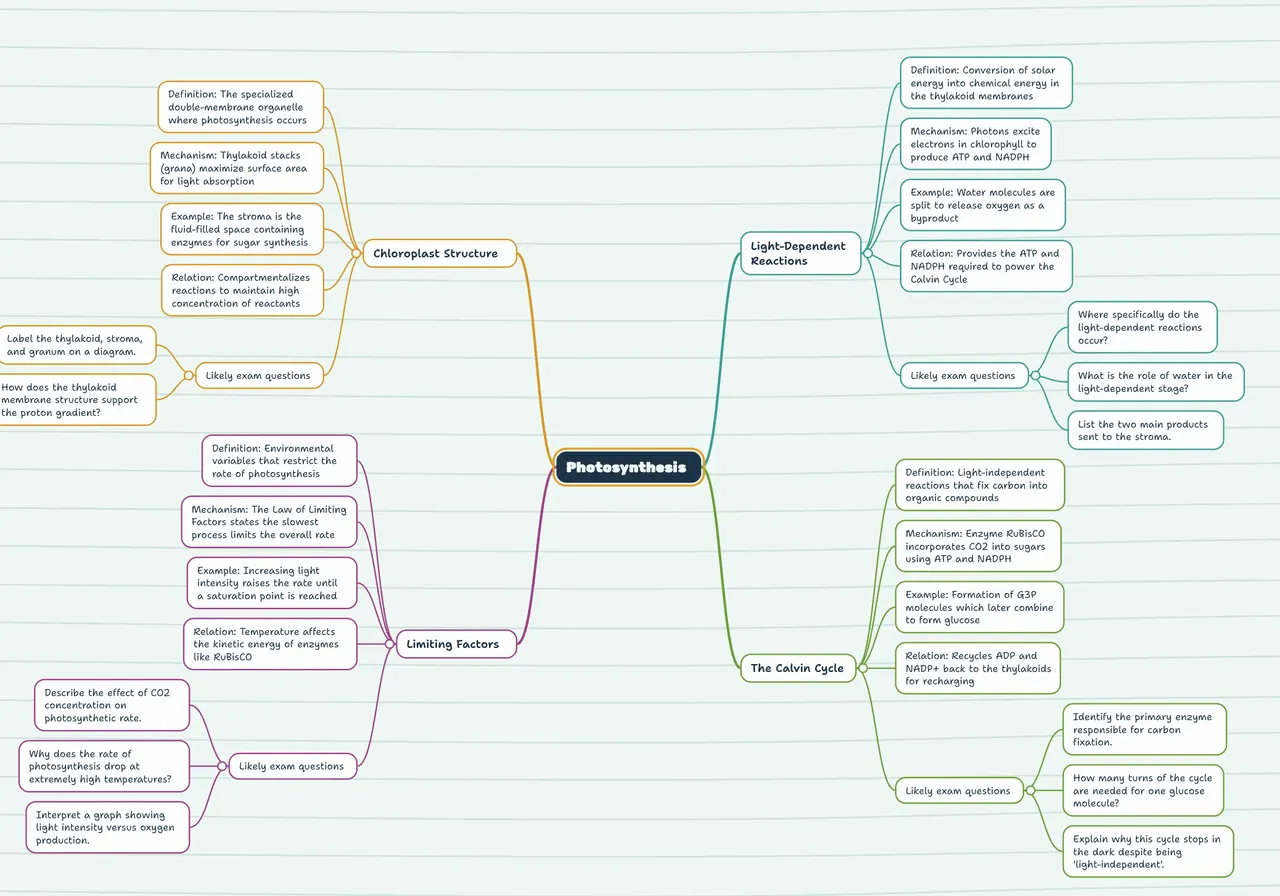
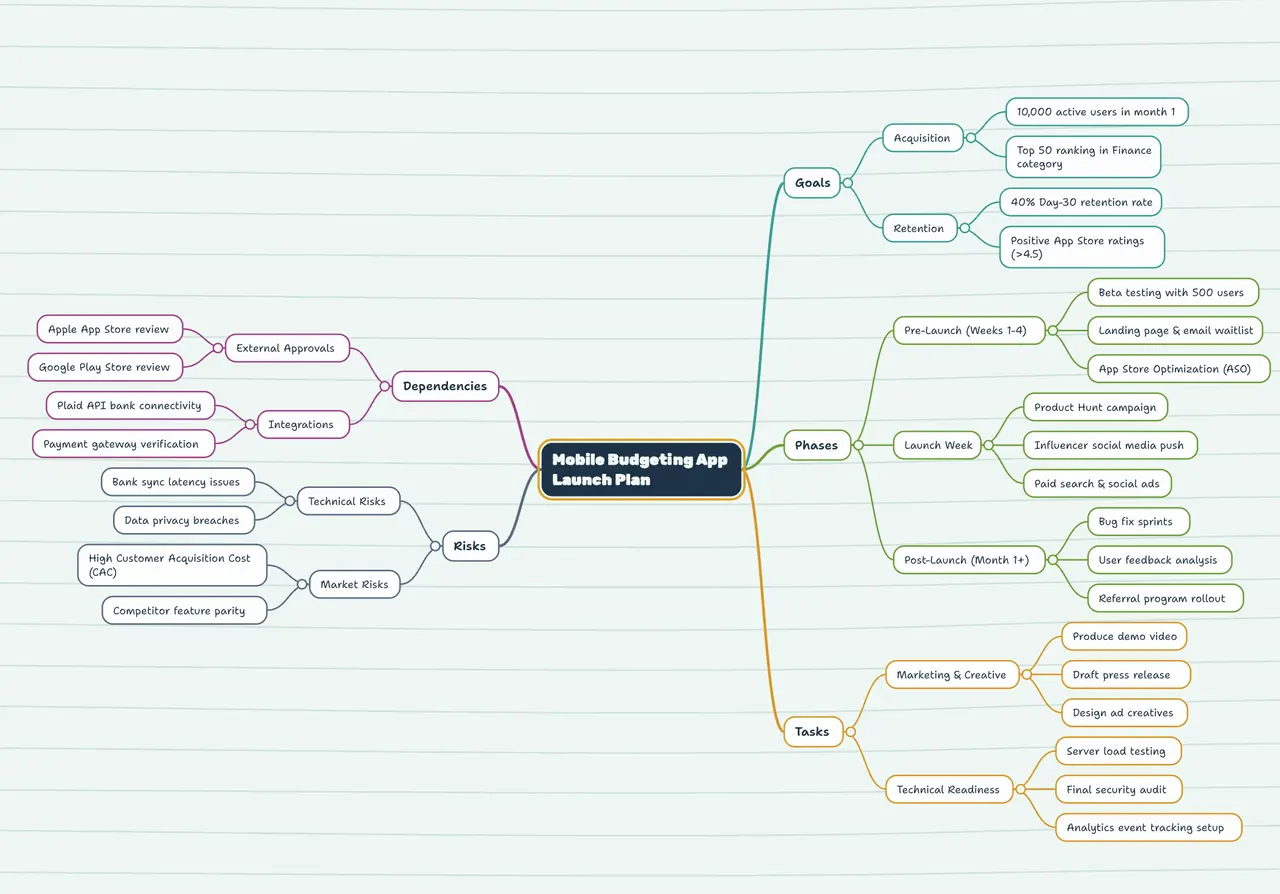
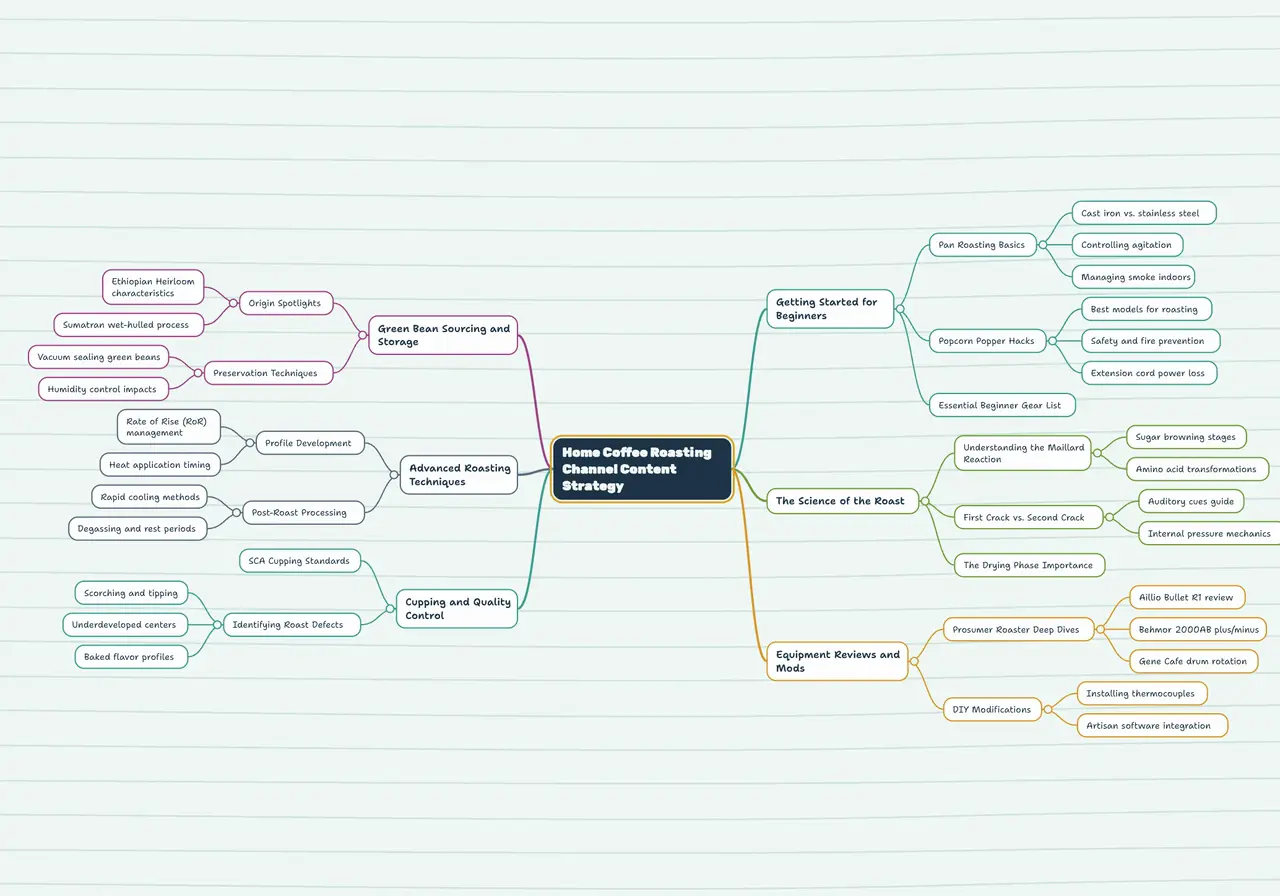
Legend 02
Six ways in, one editable map out
Parsing a file or a web page is free. A map from a topic or a source up to 20,000 characters costs 11 credits; longer sources are priced by length, and the studio shows the cost before you press Generate.
A topic
One line such as “photosynthesis” or “launch plan for a podcast”. The AI drafts a balanced map; with no source to quote, its branches are marked AI-added.
Pasted text
Notes, an article or a transcript, up to 200,000 characters. Paragraph numbers become the anchors.
A document
PDF, DOCX, PPTX, TXT, Markdown or HTML, up to 50 MB and 300 pages. PDF branches link to their page.
A web page
Paste a link and we fetch the article for you. If a page needs a login or builds itself with scripts, paste its text instead.
A YouTube video
Paste the link plus the text of YouTube’s own Show transcript panel. Its timestamps become clickable anchors; we never download the video or its captions.
Your old maps
Open Markdown outlines, OPML, FreeMind .mm and XMind .xmind files for free and keep editing them here.
Legend 03
Pick what the map is for
A preset decides which branches the AI looks for. All presets are free to pick, and you can set 2 to 5 levels and 15 to 120 nodes.
Study
Lectures, chapters and papers
Key concepts, definitions, examples, how they relate and likely exam questions. One click turns any branch into 3-credit flashcards or a quiz.
Work
Meeting notes and project briefs
Decisions, action items with owners and dates when they are stated, open questions and risks; or phases, tasks and dependencies.
Creator
Videos and podcasts
Chapters with timestamps, the key points in each and the quotes worth keeping. Export it as a Markdown outline for show notes.
Writer
Essays, posts and talks
Angles, counter-arguments, examples and an outline you can write from.
General
Anything else
A balanced hierarchy of the main ideas, the default when you are not sure.
Legend 04
A real editor, free and unlimited
Manual maps cost nothing, with no cap on how many you keep. AI only spends credits when you ask it to.
Drag to move or re-parent
Drop a branch on another node and its subtree follows. Collapse and expand with a count badge.
Keyboard first
Tab adds a child, Enter a sibling, Space collapses, arrows move focus, F2 edits, Ctrl+Z undoes.
Four layouts
Mind map on both sides, a right-hand tree, an org chart or a plain outline, two-way synced.
Concept-map mode
Draw labelled cross-links between any two nodes, such as “causes” or “is part of”.
Notes, links and icons
Attach a note, a link or an emoji to any node, and search the whole map.
AI on any branch
Expand a node (1 credit), rewrite or summarize a branch (2 credits), ask the map (5 credits) or translate it (5 credits).
Maps hold up to 2,000 nodes and save automatically.
Legend 05
Every export free, both ways, no watermark
Take your map to slides, notes apps and other mind map software, or bring old maps in. No plan unlocks better exports: they are all free.
Export
- PNG
- SVG
- PPTX
- Markdown
- OPML
- CSV
- JSON
- .mm
- .xmind
- Images: PNG at 1×, 2× or 4×, and SVG
- Documents: PDF and plain PPTX slides from the outline
- Outlines: Markdown, OPML, CSV and JSON
- Mind map files: FreeMind .mm and XMind .xmind
Import
- Markdown
- OPML
- .mm
- .xmind
Share a read-only link; anyone with it can duplicate the map into their own account. You can revoke it any time.
Legend 06
AI mind maps vs desktop mind mapping software
Desktop apps are great canvases you fill by hand. This is the other half: reading the source for you and showing where every branch came from. What we do not do yet is listed too.
| AI mind maps vs desktop mind mapping software | Typical desktop app | AIMindMap.org |
|---|---|---|
| Starting a map | You type every node | From a topic, text, document, web page or YouTube transcript |
| Where a branch came from | Not tracked | Quote, page, paragraph or timestamp, checked against the source |
| Exports on the free tier | Often PNG only or watermarked | All formats, no watermark |
| Real-time co-editing | Often yes | Not yet: share a read-only link instead |
| Offline and mobile apps | Usually yes | Not yet: it runs in the browser |
Legend 07
How to make a mind map with AI
- Step 1
Add your source
Type a topic, paste text, upload a document, or paste a web or YouTube link. Parsing is free, and the studio shows the credit cost before anything runs.
- Step 2
Pick a preset and generate
Choose Study, Work, Creator, Writer or General, the depth and the language, then press Generate. The map opens in the editor when it’s ready; a failed job is refunded automatically.
- Step 3
Check, edit and export
Click a pinned branch to read its passage, fix or delete AI-added branches, then export to PNG, PDF, Markdown, OPML, FreeMind, XMind or PPTX for free.
Pricing
Pay only for AI work, never for exports
One AI map from a topic or a source up to 20,000 characters costs 11 credits. The editor, imports and every export are free on every plan.
What you can count on
Cost before every run
The studio shows the credits first. Over 50 credits, it asks you to confirm.
Failed jobs are refunded
A map that does not finish hands its credits back on its own, with nothing to claim.
Your sources stay yours
Uploads are deleted within 24 hours of parsing. Extracted text stays with the map until you delete it, and nothing is used to train models.
Cancel in Settings
No trial that turns into a charge. Plans cancel in two clicks and keep working until the period ends.
New accounts get 11 credits once, after verifying their email: one AI map from a topic or a source up to 20,000 characters. No card needed.
Plans
Trailhead
Students and note-takers mapping every week
$13.75/month
$0.09 per AI map
- 1,671 credits each month, reset at renewal
- About 151 AI maps a month
- Sources up to 100 pages each
- All exports free, no watermark
- Maps in 8 languages
- 1 maps generating at a time
- Make maps from Claude or ChatGPT (MCP)
Ridgeline
Researchers and creators mapping long sources
$21.79/month
$0.08 per AI map
- 2,869 credits each month, reset at renewal
- About 260 AI maps a month
- Read sources of up to 200 pages
- PNG, PDF, OPML, .mm, .xmind and PPTX, free
- Write any map in one of 8 languages
- 2 maps generating at a time
- Make maps from Claude or ChatGPT (MCP)
Watershed
Heavy readers and agent workflows
$39.55/month
$0.07 per AI map
- 5,987 credits each month, reset at renewal
- About 544 AI maps a month
- The longest sources: 300 pages
- Every format in and out, no watermark
- 8 output languages, sources in any
- 4 maps generating at a time
- Make maps from Claude or ChatGPT (MCP)
Credit pack
Cairn Pack
Credits for exam season or one big project, no subscription
$32.65one-time
$0.10 per AI map
- About 332 AI maps, whenever you need them
- 3,659 credits that never expire
- The longest sources: 300 pages
- Every format in and out, no watermark
- 8 output languages, sources in any
A Deep map is 72 credits. Long sources cost 17 credits for the first 100,000 characters plus 7 credits per further block.
What each AI action costs
Parsing a file or a web page, manual editing, imports, exports and share links cost nothing. The studio shows the exact cost before every run.
| Action | Map (Gemini 3 Flash) | Deep map (Gemini 3.1 Pro) |
|---|---|---|
| Topic or source up to 20,000 characters | 11 | 72 |
| Longer source: first 100,000 characters | 17 | 99 |
| Each further 100,000 characters | 7 | 7 |
| Expand a node | 1 | |
| Rewrite or summarize a branch | 2 | |
| Ask the map (cited answer) | 5 | |
| Flashcards or quiz from a branch | 3 | |
| Translate the whole map | 5 | |
| Parse, edit, import, export, share | Free | |
Not what you needed? Ask within 10 days of a first plan or pack payment, with at most 10% of its credits used, and we refund the unused share. Refund Policy
Questions about the AI mind map maker
What does AIMindMap.org do?
It turns a topic or a source (pasted text, a PDF or other document, a web page or a YouTube transcript) into an editable mind map. Every branch drawn from the source carries a verified quote with its page, paragraph or timestamp, and branches the AI added on its own are dashed and labelled AI-added.
Is there a free AI mind map generator?
Yes. The editor, outline and file imports and every export are free, with no limit on manual maps. New accounts also get 11 credits once after verifying their email: enough for one AI map from a topic or a source of up to 20,000 characters. No card needed.
How much does an AI map cost?
A Map from a topic or a source of up to 20,000 characters costs 11 credits; a Deep map costs 72 credits. Longer sources cost 17 credits for the first 100,000 characters plus 7 credits for each further block. Parsing, editing and exports are free.
Can ChatGPT make a mind map?
A chat assistant can write an outline or draw a picture of a map, which is a fine start. Here you get an editable map with source-linked branches, AI-added branches marked, and files you can open elsewhere (OPML, FreeMind, XMind, Markdown, PPTX). Your assistant can also create maps here through our MCP server.
How do I turn a PDF into a mind map?
Upload the PDF (up to 50 MB and 300 pages), pick a preset and press Generate. Text is extracted for free, each branch links to the page its quote is on, and you can export the result as PNG, PDF, Markdown or OPML.
Can AI make a mind map from a YouTube video?
Yes, from its transcript. Paste the video link and the text of YouTube’s own Show transcript panel; we read the title and thumbnail from YouTube and turn the timestamps into anchors that open the video at that moment. We never download the video or its captions. A video with no transcript cannot be mapped this way.
What is the difference between a mind map and a concept map?
A mind map grows from one central idea into branches. A concept map links ideas to each other with labelled lines such as “causes” or “is part of”. Turn on concept-map mode in the editor to add labelled cross-links to any map.
How do I make a mind map for studying?
Upload the lecture notes or chapter and pick the Study preset: you get key concepts, definitions, examples, relations and likely exam questions. Turn any branch into 10 flashcards or a quiz for 3 credits and practise in the browser.
Can I export to XMind, FreeMind, OPML, Markdown or PowerPoint?
Yes, all free and without a watermark: PNG, SVG, PDF, Markdown, OPML, CSV, JSON, FreeMind .mm, XMind .xmind and plain PPTX slides from the outline. You can import Markdown, OPML, .mm and .xmind files too.
Does the AI make things up?
It can, which is why every branch is checked. A branch only gets a source pin when its quote is found in your text. Anything else, including every branch of a topic-only map, is dashed and labelled AI-added, so you can see at a glance what to verify.
Is my document kept or used for training?
Uploaded files are deleted within 24 hours of parsing. The extracted text is kept with the map so the pins keep working, until you delete the map, remove the source or close your account. Nothing is used to train AI models.
Which AI models do you use?
Map runs on Gemini 3 Flash and Deep map on Gemini 3.1 Pro, for long or technical sources with more levels and better cross-links. Smaller actions such as expanding a node use lighter models. Gemini is a trademark of Google LLC; AIMindMap.org is not affiliated with Google.
Turn your next reading into a map you can check
Paste a page of notes or upload a PDF, see the cost, press Generate. No card needed to try.
Last updated: